

This post contains affiliate links. If you purchase through them, I may earn a commission at no extra cost to you.
You probably think that ultrawide monitors are either for gamers or stock traders.
Well, I am not a gamer. And I am not a trader.
I am a stock investor, but I don’t trade, so I don’t need those walls of blinking charts and six-screen trading views. What I need is simpler, and honestly, more useful: one beautiful, generous screen where I can have multiple windows open at the same time.
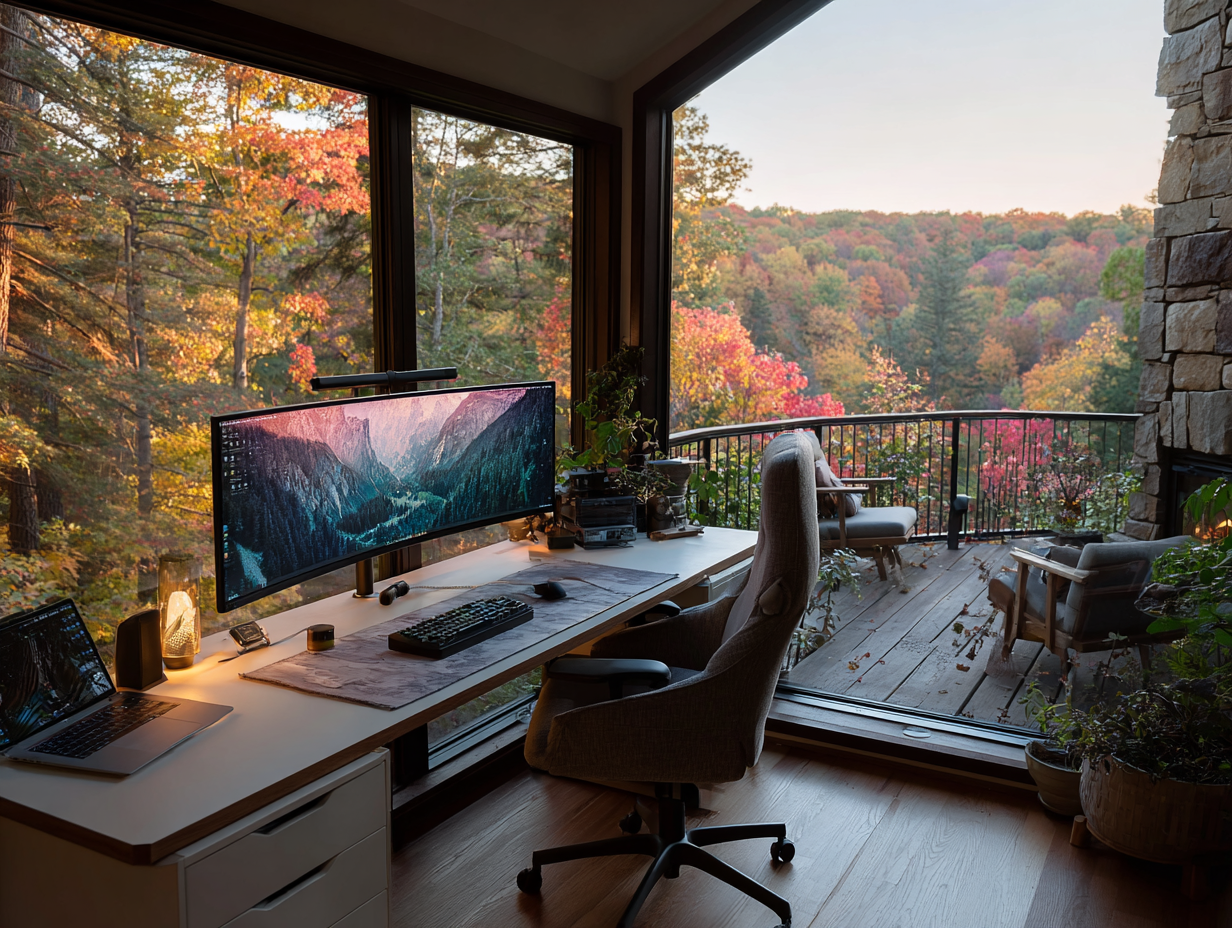
That is what an ultrawide monitor is for me. A productivity hack. And it looks amazing on my desk.
Why LG
LG is the brand I prefer, and I have used. When you are looking at something this large, something that will sit in front of you for hours every single day, you want a panel you can trust, colours that stay true, and a stand that doesn’t wobble every time you type. LG has earned that trust on my desk.
Below is my comparison of the three sizes that make sense for real work: the 34-inch, the 40-inch, and the 45-inch. (My favourite is the biggest one. Of course it is.)
The 34-Inch: The Sensible Starting Point
The LG 34WN80C-B is where most people should begin. A 34-inch curved panel at 3440 by 1440, crisp, wide, and calm. It gives you the equivalent of roughly two full windows side by side, which is exactly the workflow that matters: your writing on one side, your research on the other, no more alt-tabbing your way through the day.
The detail I appreciate most is the USB-C connection with 60W power delivery. One cable from your laptop to the monitor: display, data, and charging, all at once. That is the kind of quiet engineering that keeps a desk looking elegant instead of tangled.
The 40-Inch: The Resolution Jump
The LG 40WP95C-W is a different experience entirely. At 5120 by 2160, true 5K2K, text looks like print. If you live in documents, spreadsheets, timelines, or editing software, this is the screen that makes long days easier on your eyes.
It is a Nano IPS panel with Thunderbolt 4 and 96W power delivery, so a modern laptop docks with a single cable, charges at full speed, and drives the whole canvas without breaking a sweat. This is the monitor for someone whose work is the screen: writers, analysts, creators, anyone who thinks for a living.
The 45-Inch: My Favourite
And then there is the LG 45GR65DC-B. Forty-five inches of 32:9 Dual QHD (5120 by 1440), which is, for all practical purposes, two 27-inch monitors fused into one, with no bezel running down the middle of your work.
Don’t let the UltraGear name fool you. Yes, it has a 200Hz refresh rate and the gaming credentials. But what I see is the most productive surface I have ever worked on: three or four windows open at once, each with room to breathe, on a gentle curve that keeps everything at the same comfortable distance from my eyes.
Once you work on one, it is hard to go back.
How I Actually Use It
Here is what my screen looks like on an ordinary working day: my draft on the left, my research on the right, and my calendar or inbox tucked into a third column I can glance at without switching anything. Nothing is hidden. Nothing is minimized. My whole day is visible at once, and my attention stops leaking away in a hundred tiny window-switches.
That is the productivity hack. Not an app, not a system, just space. Enough space to think in.
The desk around the screen matters just as much. I wrote about changing how I work here.
One honest note before you choose: measure your desk. A 45-inch ultrawide is a commitment, it needs a deep, sturdy desk and a little room around it. The 34-inch fits beautifully almost anywhere; the 40-inch is the sweet spot for resolution lovers; the 45-inch is for those of us who want the whole horizon.
My pick is the 45. It is the one on my desk, and it is not close.
This post contains affiliate links. If you purchase through them, I may earn a commission at no extra cost to you.